
Six modules, one audit trail.
A failed question becomes a finding. A finding becomes a corrective action with an owner and a date. Approving the audit produces the report. Nothing is re-typed between those steps, which is exactly where most audit programmes lose their evidence.
- 6
- Modules on one audit trail
- 100+
- Controls ready to use
- 7
- Lifecycle statuses
How an audit moves through Secuiera.
Five steps, each with a named owner and a status you can read off the calendar without asking anyone.
- 1
Schedule
Book a site, a template and a date on the audit calendar.
- 2
Assign
Send it to a site auditor. Delegate when they're unavailable.
- 3
Conduct
Work the questionnaire on site. Attach evidence as you answer.
- 4
Review
A manager checks every response and every critical fail.
- 5
Approve
Approve or reject. Approval generates the report automatically.
100+
Controls in the question bank
Across 16 sections
7
Lifecycle statuses
All visible on the calendar
3
Roles
Scoped access from viewer to admin
50 MB
Per evidence file
Photos, video, documents
What each part does.
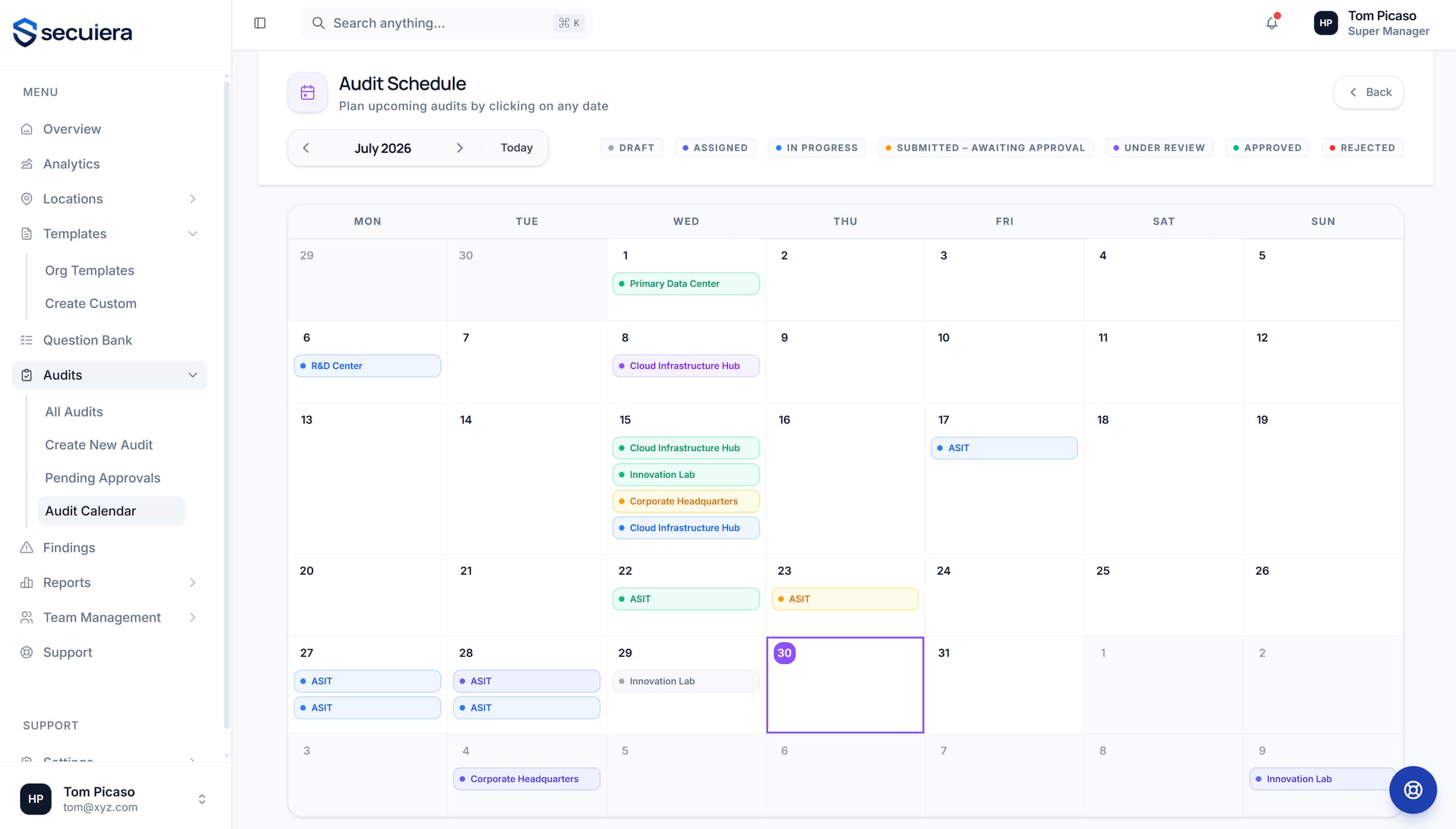
Everything scheduled, in one view
The calendar is the working surface for a multi-site programme: what's booked, who owns it, and which audits are stuck waiting on a review.
- 1Every scheduled audit across every site in one month view
- 2Colour-coded by lifecycle status, so a stalled audit is obvious
- 3Click any date to schedule against a site and a template
See it against your own sites
Thirty minutes with the people who build it, walked through the modules that matter to your programme rather than a scripted tour.